
Comparing the Claude Sonet 4.6 and Claude Opus 4.6 LLM models

So we're told that Claude Sonet 4.6 is an LLM that is optimized for speed and balanced performance when it comes to AI code generation, while Claude Opus 4.6 excels in maximum reasoning, coding, and complex problem-solving tasks (i.e., more expensive). I have so far used both models for AI code generation/assistance/vibing. Both models were released in February 2026 and represent a shift from "chat" to "agents."
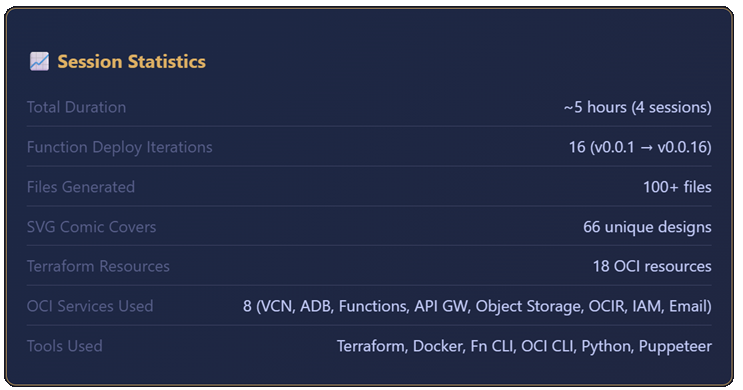
Recently as I was preparing a demo on Visual Studio Code + Cline + Claude Opus for an upcoming conference presentation I will be giving, I ran through a specific use case. This was the first time I used the latest Claude Opus 4.6, and my previous experience had only been with Sonet. I was shocked that the entire autonomous application generation and deployment took 5 hours and cost $32.35, both higher than I expected. But then again, we were all warned that Opus was more expensive and took longer. In all fairness, the model created a database-driven application with a front-end, backend, Terraform scripts, and "mostly" autonomous deployment to Oracle Cloud Infrastructure.
So I embarked on a mini exercise to try to get some real world experience comparing Sonet and Opus. I ran two tests detailed below and compared the results.
Test #1: Recreating the R-Type Game
Back in 1988, there was an awesome game I had called R-Type on the Commodore 64. Could modern day AI code assistants recreate it for me?

The Prompt
This was the prompt I used and submitted to both models; Sonet 4.6 and Opus 4.6. Coming up with the prompt involved a little bit of meta prompting (where you ask the chatbot to help you create a more precise and detailed prompt).
You are an expert JavaScript game developer.

Create a small browser game inspired by the classic side-scrolling shooter **R-Type**, originally released on the **Commodore 64**. This must NOT be a full recreation of the original game. It should only capture the core gameplay idea: a side-scrolling spaceship shooter. The first page should be welcome page, like a placeholder where the user can click on a button and be taken to another page which runs the game.

Requirements:

GAMEPLAY

* The game runs entirely in the browser.
* The player controls a spaceship flying from left to right while the world scrolls right-to-left.
* The ship can:
  * Move up/down/left/right
  * Shoot projectiles forward
* Enemies enter from the right side of the screen.
* Enemies move in simple patterns (sine wave, straight line, or diagonal).
* Enemy ships can be destroyed by the player's shots.
* Collision with enemies reduces player health.
* The level ends after ~60 seconds or when the player reaches the end of the scrolling map.
* Include a small boss or large enemy at the end of the level.

LEVEL DESIGN

* Only ONE short level.
* Automatically scrolling background.
* Parallax background layers to simulate depth.
* The level should contain:
  * 3–5 enemy waves
  * A final boss
* After the boss is defeated, display a "Level Complete" screen.

GRAPHICS STYLE

* This is a **2D game**, but the graphics should be styled to look **pseudo-3D** using:
  * lighting gradients
  * shading
  * highlights
  * soft shadows
  * layered sprites
* Avoid pixel-art Commodore style.
* Instead use smooth vector-style or canvas-rendered shapes that appear modern.
* All rendering should be done using HTML5 Canvas.

TECHNICAL REQUIREMENTS

* Use plain JavaScript (ES6+).
* No heavy frameworks.
* Small libraries are allowed only if necessary.
* Use requestAnimationFrame for the game loop.
* Organize the code cleanly into module.
* The project should run by simply opening `index.html`.
* Generate simple shapes procedurally if possible instead of image files.

VISUAL DETAILS

* Background space with stars
* Moving nebula layer
* Metallic-looking player ship with lighting
* Enemy ships with glowing engines
* Laser shots with glow effects
* Explosions using particles

CONTROLS
Keyboard controls:

* Arrow keys → movement
* Spacebar → shoot

GAME HUD
Display:

* Player health
* Score
* Level progress bar

CODE QUALITY

* Write clear, readable code.
* Include comments explaining the game loop and rendering logic.
* Avoid unnecessary complexity.
* Ensure the game runs at ~60 FPS.
Sonet Results
The game created by Sonet was a bit superior to the Opus version. I preferred the look of the welcome page created by Sonet as you can see here.
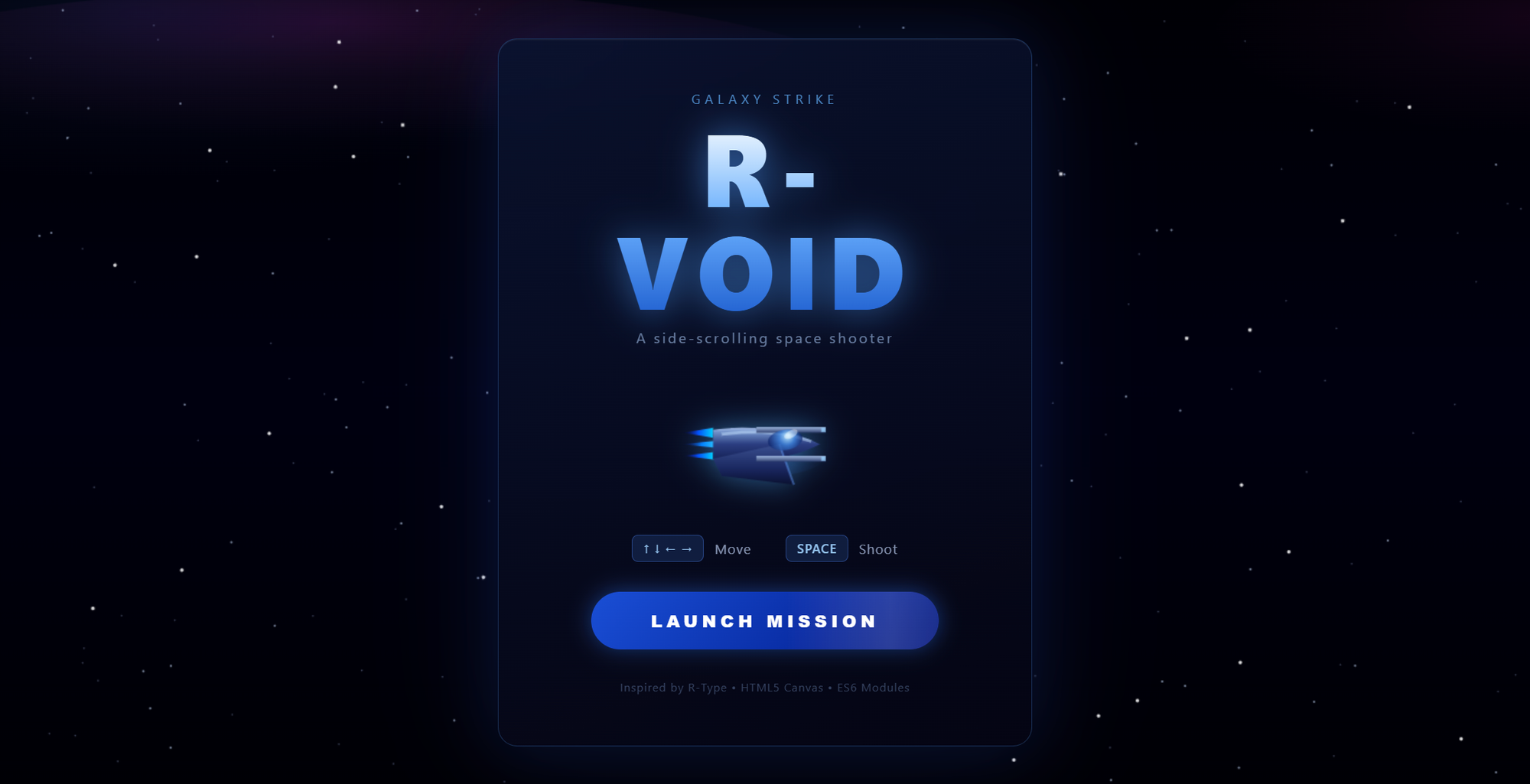
And though you can't see it here, the animation of your spacecraft would tilt upwards and downwards at an angle when moved, versus a static shaped craft in the Opus version. Note that I never specified the animation behavior to either model.
Opus Results
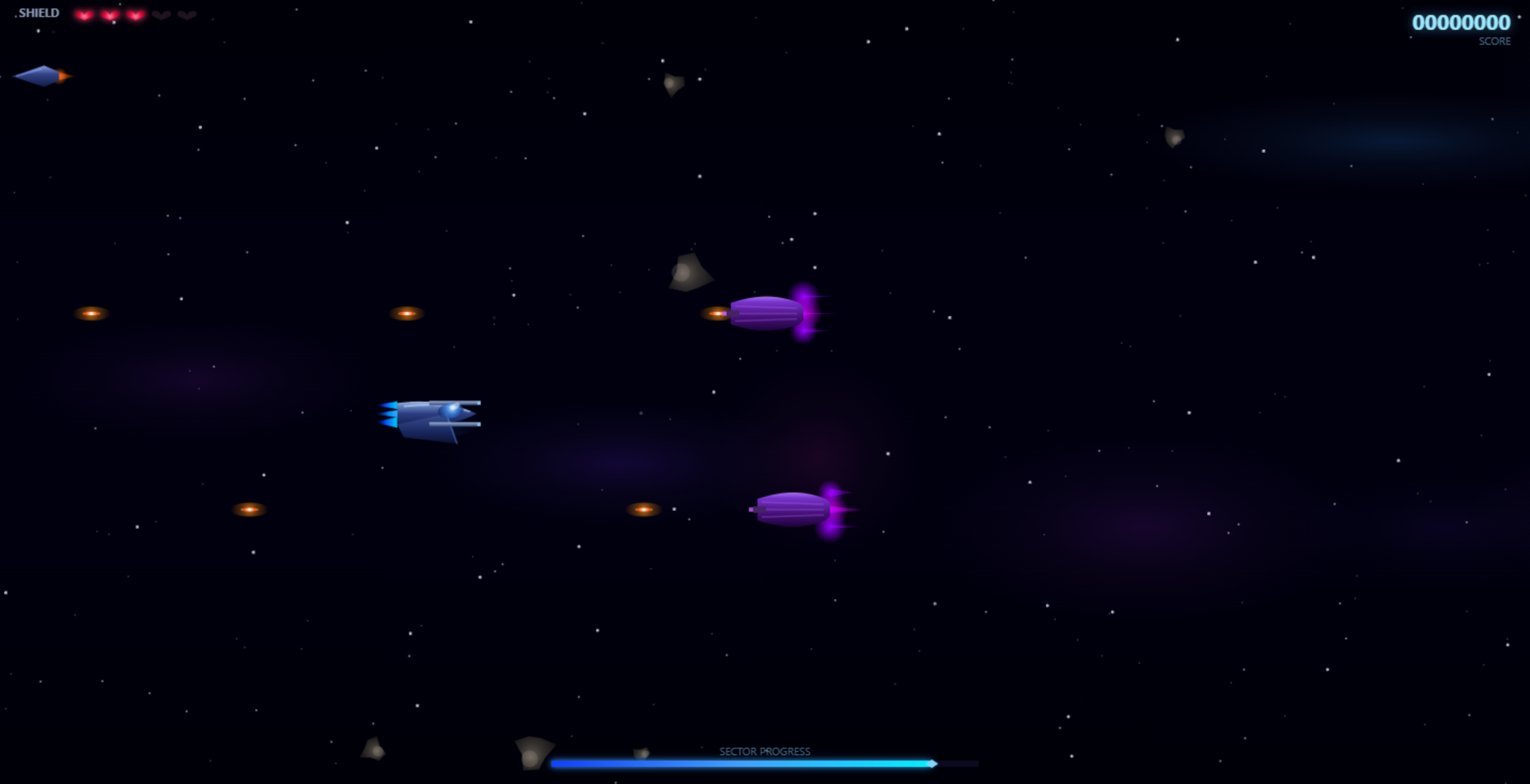
The difference in the final result between Sonet and Opus versions was not significant. Though I preferred the look of the welcome page of the Sonet version (versus the Opus version below), keep in mind I wasn't explicit in my prompt in regards to the layout, design, or aesthetic preference. Specificity in prompting would have yielded better results, and I could have re-engaged the model to continue tweaking it to my liking, which I did not do in this test.
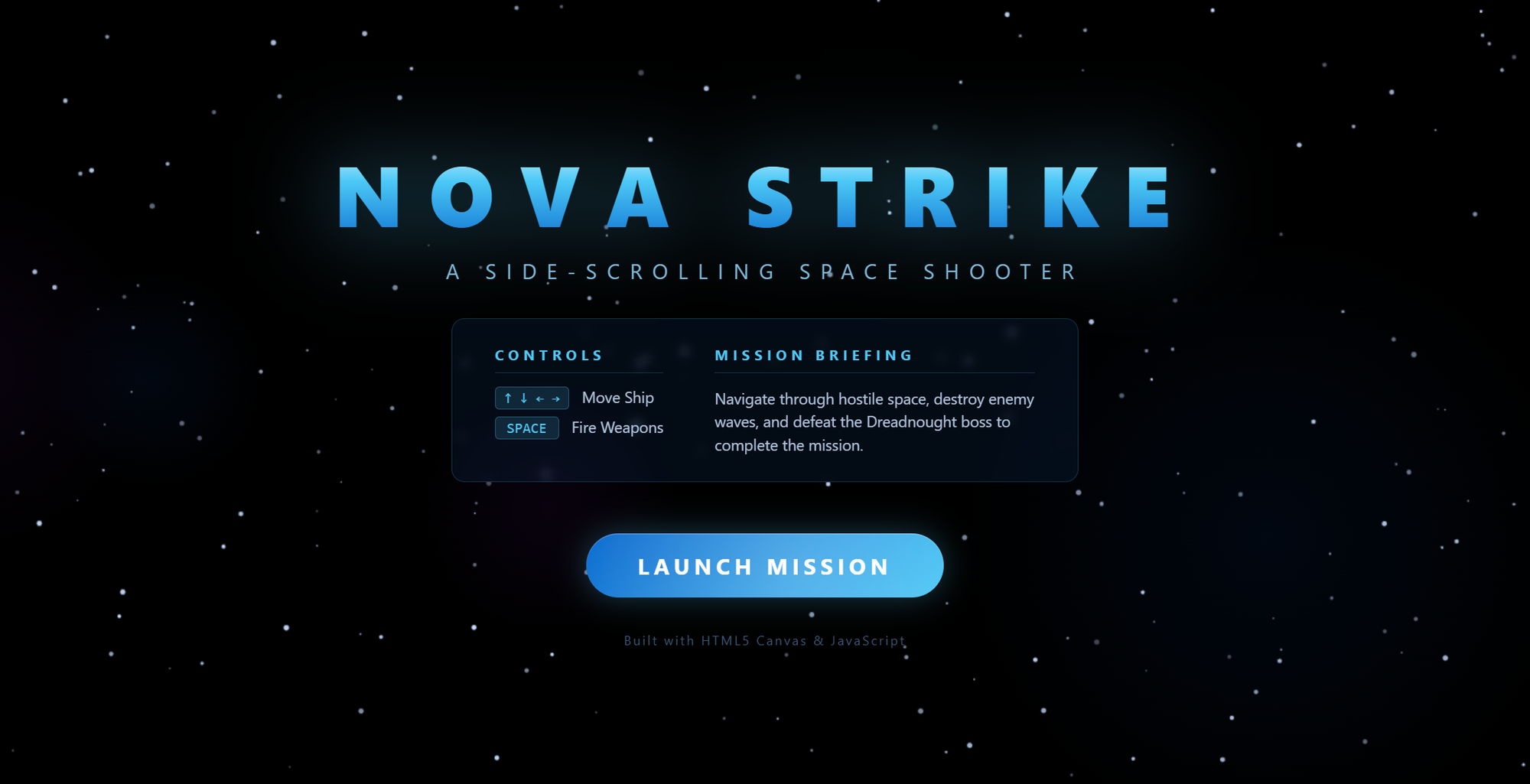
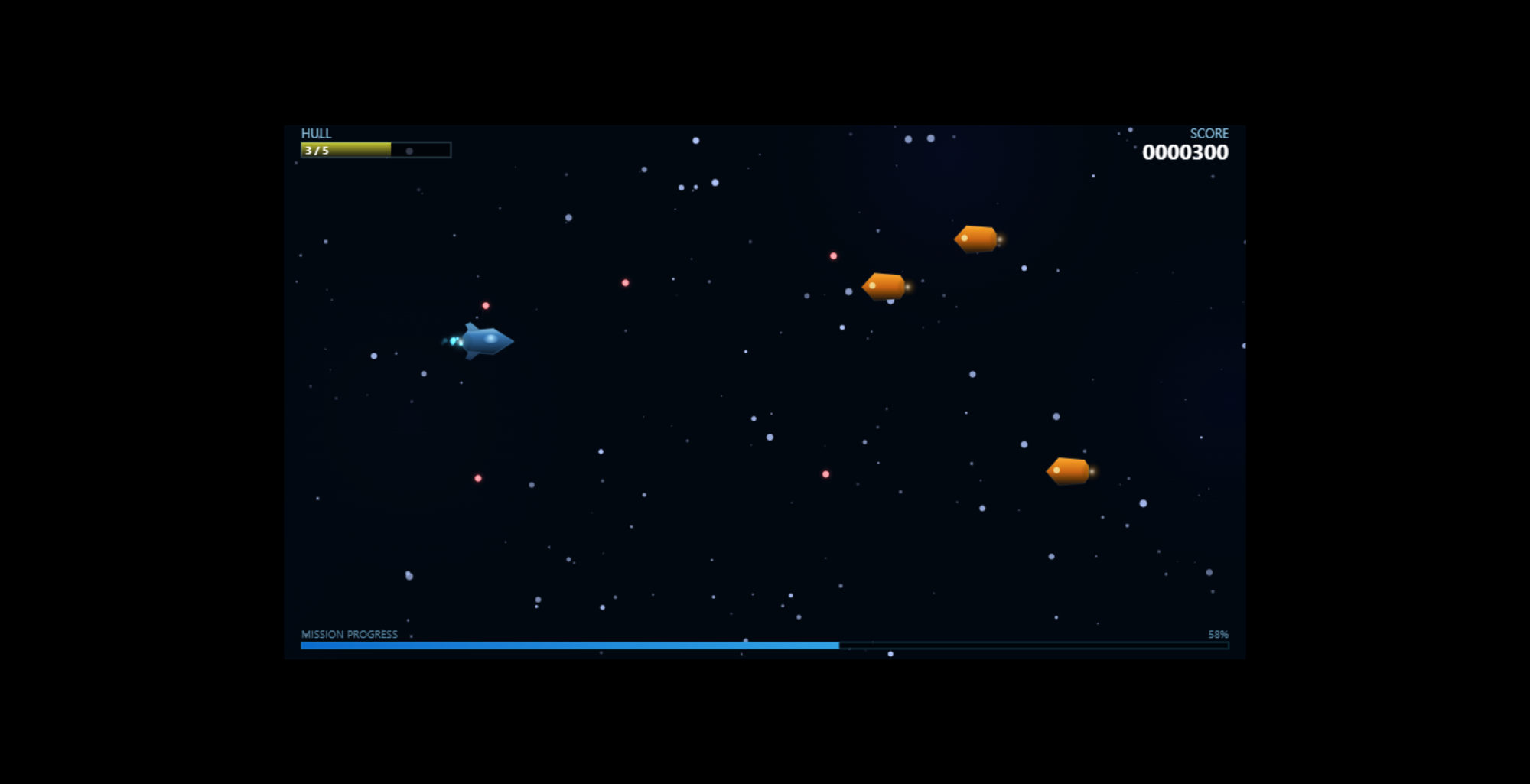
The gameplay window in the Opus version did not fill the entire browser as you can see below, but the Sonet version did. Again, with additional re-prompting I could have requested from the model to do so.
Conclusion of Test #1
I am reminded of this tweet.
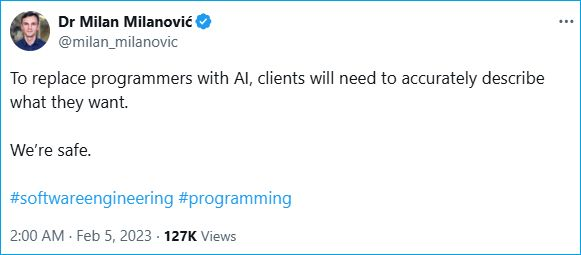
Generally speaking (and I say this with some hesitancy), the results of your AI generated code is only as good as the quality of your prompt. But by providing more details, specifics, and clarifications during re-prompting can you achieve your desired output.
This table compares the cost, duration, and tools for both. Given that there was no difference in cost or time taken to generate the application, Sonet wins by a small margin due to better gameplay animations and more pleasing welcome page.
| Sonnet 4.6 | Opus 4.6 | |
| Cost | $2.34 | $2.33 |
| Duration | 21 minutes | 17 minutes |
| Tools | JavaScript (ES6+) HTML5 CSS3 HTML5 Canvas API Web APIs (e.g., requestAnimationFrame) Python (local HTTP server) Puppeteer (testing) No external libraries were used |
JavaScript (ES6+) HTML5 CSS3 HTML5 Canvas API Web APIs (e.g., requestAnimationFrame) No test cases developed No external libraries were used |
Test #2: The Multidimensional Benchmark Test
I asked ChatGPT to help me come up with a prompt that can measure the performance of each of the two models. It generated a single prompt (below) that I pasted into the Cline plugin in VS Code.
The prompt instructed the model to build a small but meaningful application that tests several dimensions of AI capability:
- algorithmic reasoning
- code architecture decisions
- UI generation
- structured data handling
- documentation clarity
- self-evaluation
This type of multi-dimensional benchmark task is commonly used in LLM evaluation because it tests planning + implementation + explanation, rather than just code generation.
The Prompt
The application to be generated from this prompt is a mini AI evaluation dashboard that includes algorithmic tasks and analysis.
You are an expert software architect and engineer.

Your task is to design and implement a small application that can be used to evaluate the reasoning, coding, architecture, and explanation capabilities of an AI model.

The application must be complex enough to require planning and multiple components, but small enough to be implemented in under ~600 lines of code total.

OBJECTIVE
Create a self-contained application that tests the following capabilities:

1. Algorithmic reasoning
2. Data processing
3. Clean software architecture
4. UI generation
5. Explanation and documentation quality

APPLICATION REQUIREMENTS

Build a browser-based application called:

"AI Reasoning Benchmark"

TECH STACK
Use only:

HTML
CSS
Vanilla JavaScript (no frameworks)

The entire application should run locally in the browser.

FEATURES

1. Problem Generator

Create a module that generates several types of problems:

A. Pathfinding problem
- Generate a random 10x10 grid
- Add obstacles randomly
- Start and goal nodes
- Solve with A* or Dijkstra

B. Scheduling optimization
- Given tasks with durations and dependencies
- Compute optimal schedule order

C. Logic puzzle
- Example: simple constraint satisfaction puzzle

The application should solve these problems and visualize the result.

2. Visualization

Include visual components:

Grid visualization for pathfinding

Dependency graph visualization for scheduling

Simple puzzle explanation output

3. Architecture

The code must be structured clearly:

/app.js
/pathfinding.js
/scheduler.js
/puzzles.js
/ui.js

Explain the design decisions.

4. Benchmark Report

At the end, generate a small report showing:

Number of problems solved
Runtime performance (approximate timing)
Explanation of the solutions
Limitations of the algorithms

5. Self-Evaluation

Add a section where the model writes:

"How well this solution demonstrates AI reasoning capability."

Explain tradeoffs and improvements.

OUTPUT FORMAT

Provide:

1. Project structure
2. Complete source code for each file
3. Setup instructions
4. Short design explanation

IMPORTANT

Do NOT over-engineer.
Do NOT use external libraries.
Keep code readable and modular.

The goal is to measure the model's reasoning, structure, and engineering quality.

Focus on clarity, architecture, and correctness.
Sonet Results
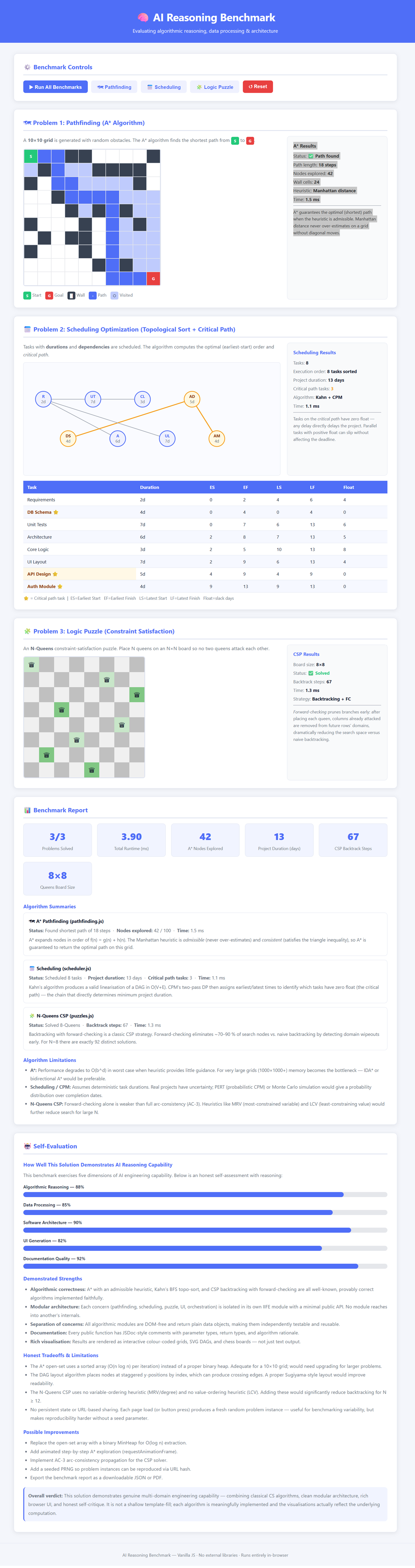
The key differences between the Sonet (shown below) and Opus outputs appears to be mostly aesthetic. In the conclusion later on, I highlight some differences between the two outputs.
Opus Results
The tests generated by both the Sonet and Opus (shown here) models were nearly identical in performance, quality, and output, so the differences were mostly negligible. Again, I have highlighted some differences in the conclusion below.

Conclusion of Test #2
Aside from a different aesthetic look between the Sonet-generated application and the Opus-generated one, both actually behaved similarly, with a slight edge given to the Sonet application.
The Sonet application included a better scheduler that measured in days rather than units and was easier to follow, and its self-evaluation was also better, as it provided scoring and clearer explanations. All the other tests in both models were similar in quality, performance, and output.
As far as the cost and duration, there were also no notable differences. Sonet is the winner here again due to the reasons mentioned in the previous paragraph.
| Sonnet 4.6 | Opus 4.6 | |
| Cost | $0.7977 | $0.7688 |
| Duration | 11 minutes | 8 minutes |
Final, Final Conclusion
Opus is originally designed to excel over Sonet in these areas:
- Architecture design - By delivering cleaner modularization
- Algorithm choice - By selecting better heuristics
- Code reliability - By producing better working code
- Explanation depth - By employing deeper reasoning
Sonet is marketed as a cheaper, faster implementation but delivering simpler solutions. Opus, on the other hand, is marketed as having more advanced reasoning and better architecture. I did not see these tradeoffs in these two tests.
In fact, some benchmarks (like SWE-bench) show Sonet 4.6 trailing Opus by only a slim margin (e.g., 1.2-2%) while being significantly faster.
In terms of pricing, Sonnet 4.6 is $3 per million input tokens and $15 per million output tokens, while Opus 4.6 is $15 per million input tokens and $75 per million output tokens.
Keep in mind that the tests I ran were not complex. I also did not spent time with the other Sonet 4.6:1m or Opus 4.6:1m models. Those models increase the context window by about 5x to process larger inputs, and instead of reading projects, they can actually read entire repositories. This is good for parallel and team development, something I don't find necessary in my current work.
For the complex demo I mentioned at the start of this post, I used Opus 4.6. It generated a multi-tiered web application deployed to the cloud. Opus took care of all infrastructure provisioning and most of the deployment. Bug after bug was resolved automatically by Opus and fully detailed and impressive documentation and reasoning were provided.
How would this complex project have fared under Sonet? I'm not sure. Other blogs seem to recommend Sonet for UI/UX and Opus for backend/database schema logic. In conclusion, I wish I could provide you with a concrete recommendation on which model to use when, but I may personally lean towards Sonet.