
No permission to build in agent in Microsoft Foundry


I just started using Microsoft Foundry, and after creating the service in my resource group, I navigated to the Foundry portal.
Beside the "Build an agent" section on this page, the "Start building" button was grayed out and this message appeared when I hover over it: You don't have permission to create agent definitions in this project. Was this an Azure role assignment missing or some type of grant within Foundry itself? (In a way, it's both, but it's an Azure role.)
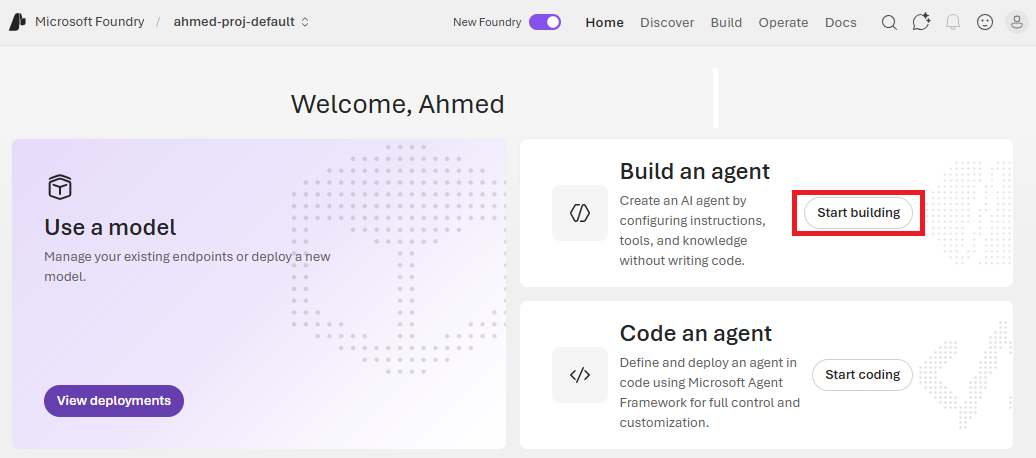
Having typical roles such as Owner, Contributor, or Reader within Azure RBAC is not enough. What you need to do is to grant the user access to specify Foundry roles.
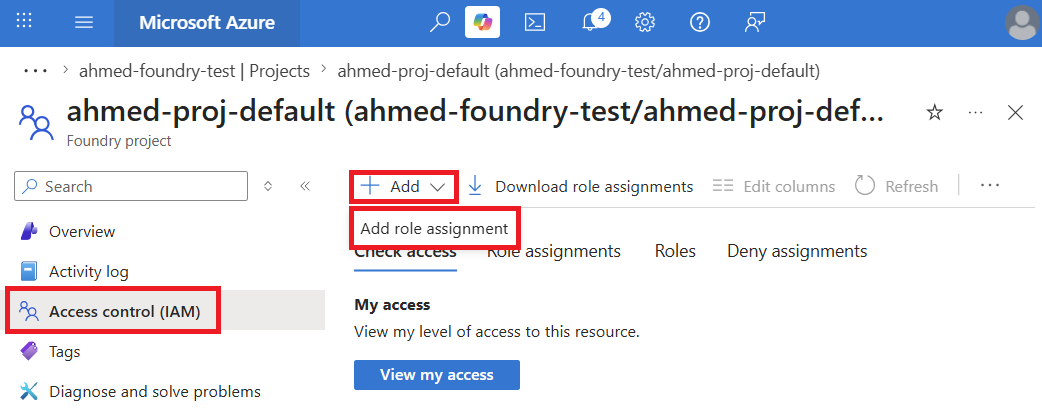
Within the Foundry project on the Azure console, navigate to Access control (IAM), click on Add then click on Add role assignment.
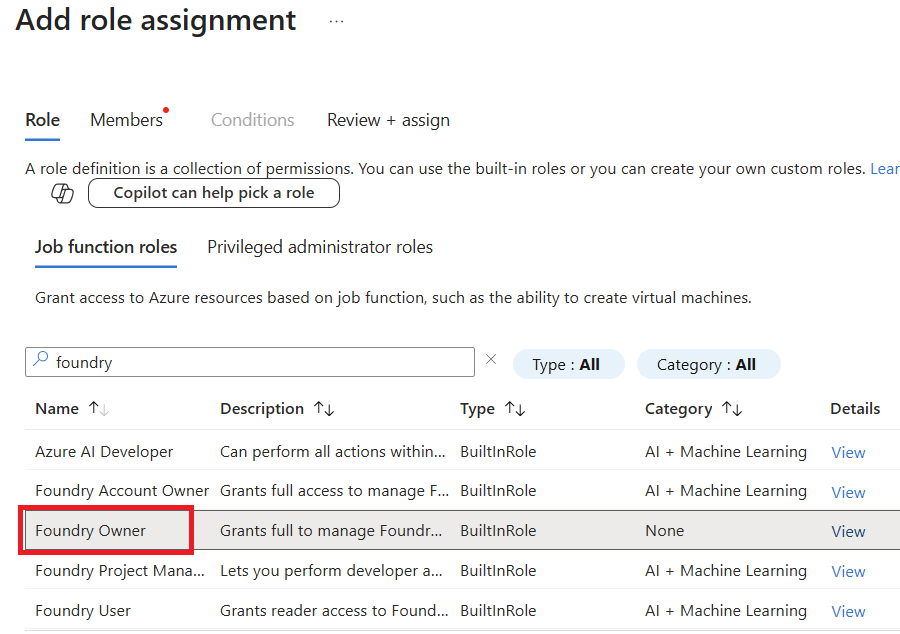
Here, search for "foundry" and highlight the "Foundry Owner" role. Then click on the Members tab.
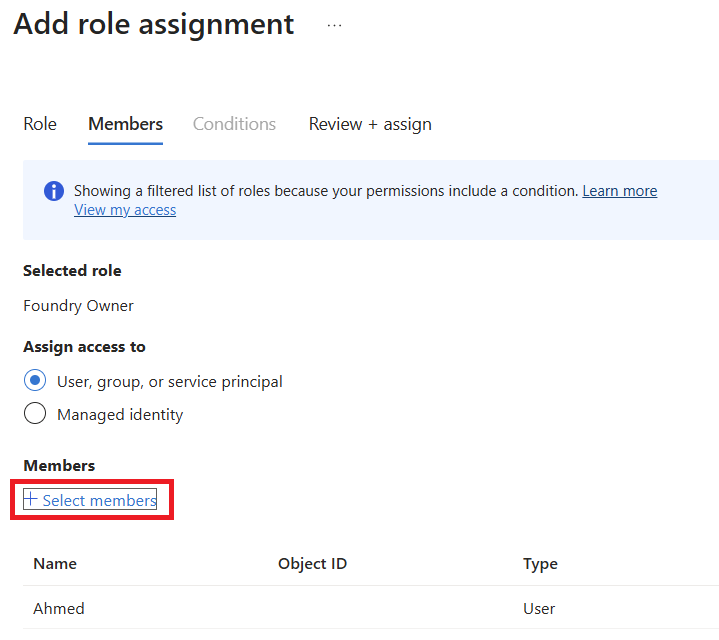
Now assign this role to a member or a group. In this case, I clicked on Select members and added my user.
On the bottom of this page, click on the Review + assign button, and you're good to go.
Repeat these instructions for the Foundry Project Manager and Founder User roles.